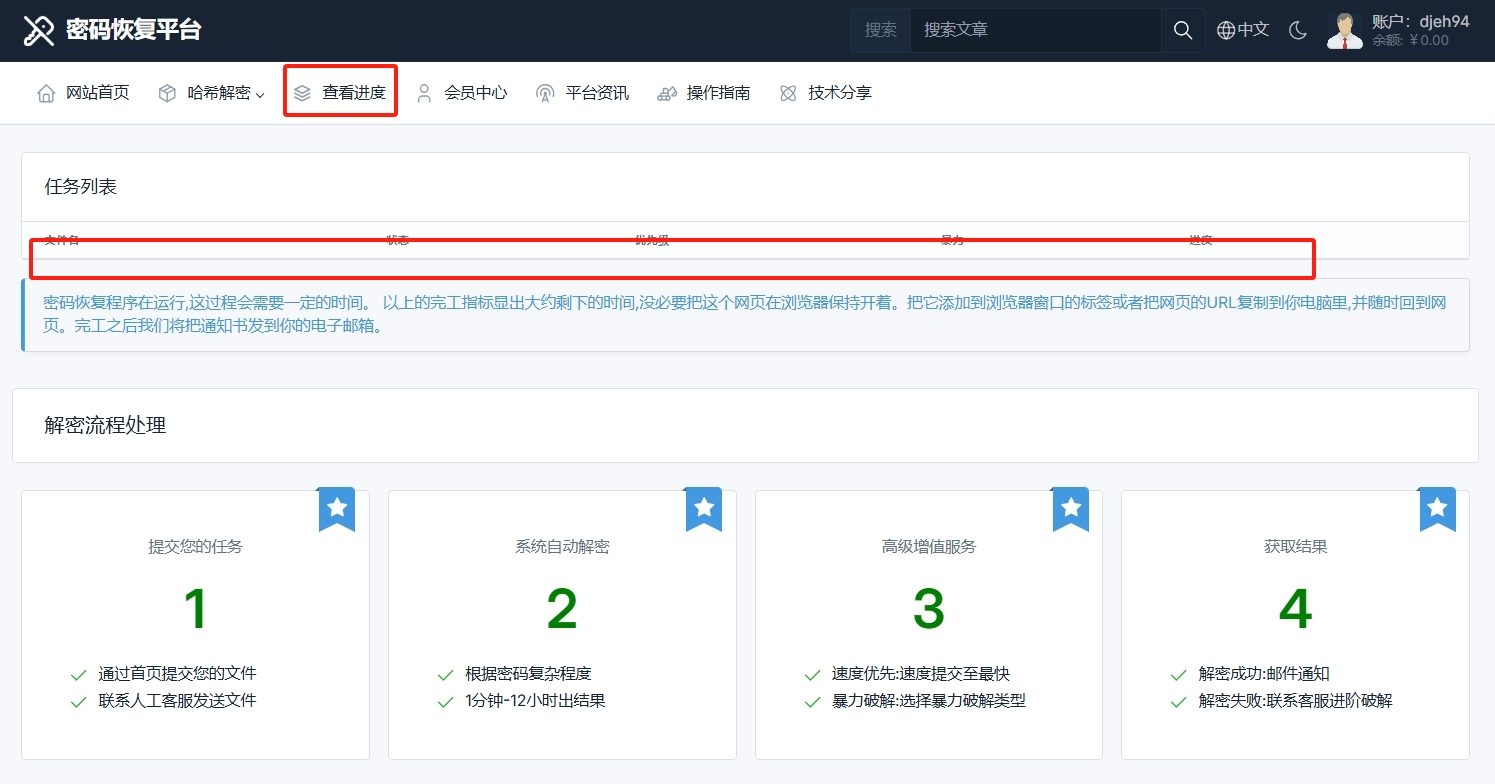
 Decipher Online
 Password Unlocker– 3 Simple Steps to Recover Files
Step 1:Open the URLwww.ideciphera.com, click File Upload, and follow the prompts to complete the registration.
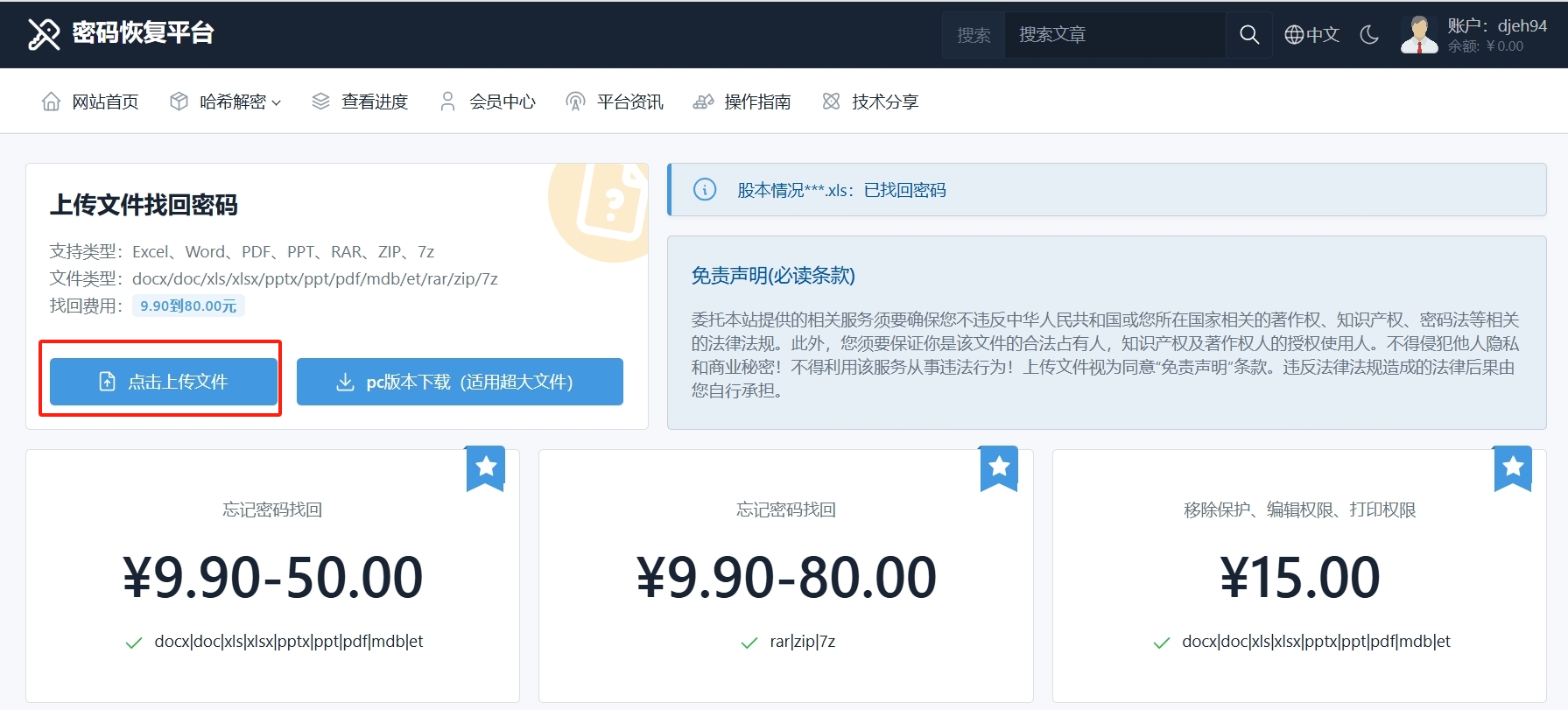
Step 2:Select the file to be processed. The platform supports uploading files in formats such as (docx/doc/xls/xlsx/pptx/PPT/PDF/mdb/RAR/ZIP/7Z). Click Submit to complete the file upload.
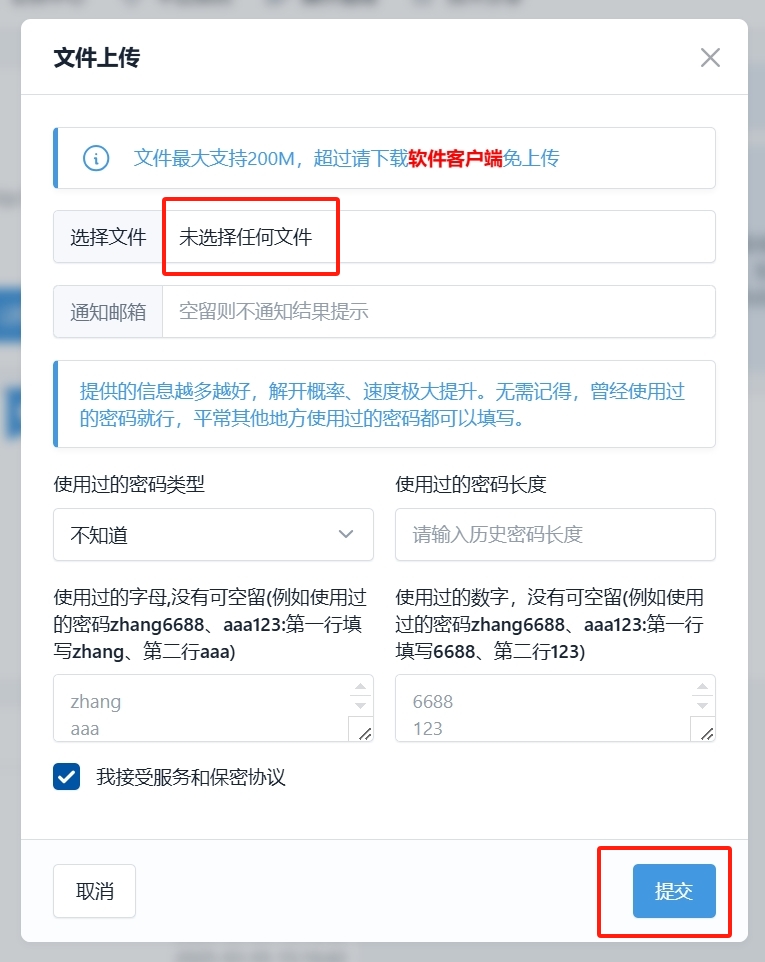
Step 3:Select the recovery method as needed and submit.
Tip: We provide two different services: removing permissions and cracking passwords. Users need to select the corresponding decryption method according to the encryption situation. Selecting the wrong method will cause the processing to fail!
Explanation of Platform File Recovery Methods
I. Removal Protection, Edit Permissions, Print Permissions VS. Password Recovery
1.Restrict OpeningThis is usually used to control the visibility and accessibility of documents. By setting specific conditions or permissions, only users who meet the conditions can open documents.
2.Encryption refers to the encryption of document content using an encryption algorithm. Only users with the correct key or password can decrypt and view the document content.
II. Specific differences between
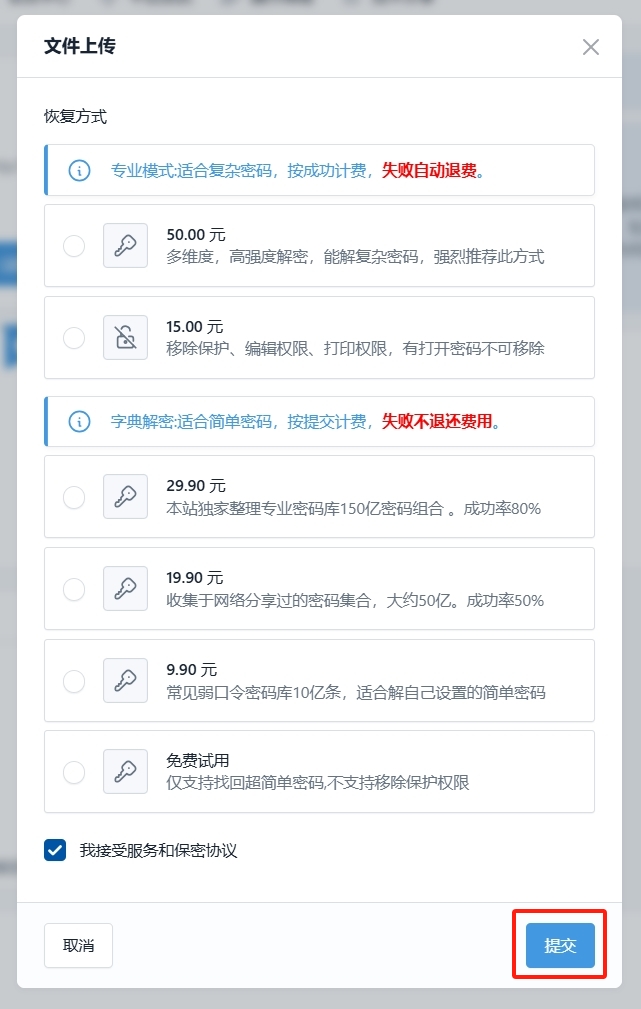
How do I check my hacking progress? Click to view progress to enter the page for inquiry.